
Go back
Go back
Design system for a multi-language product

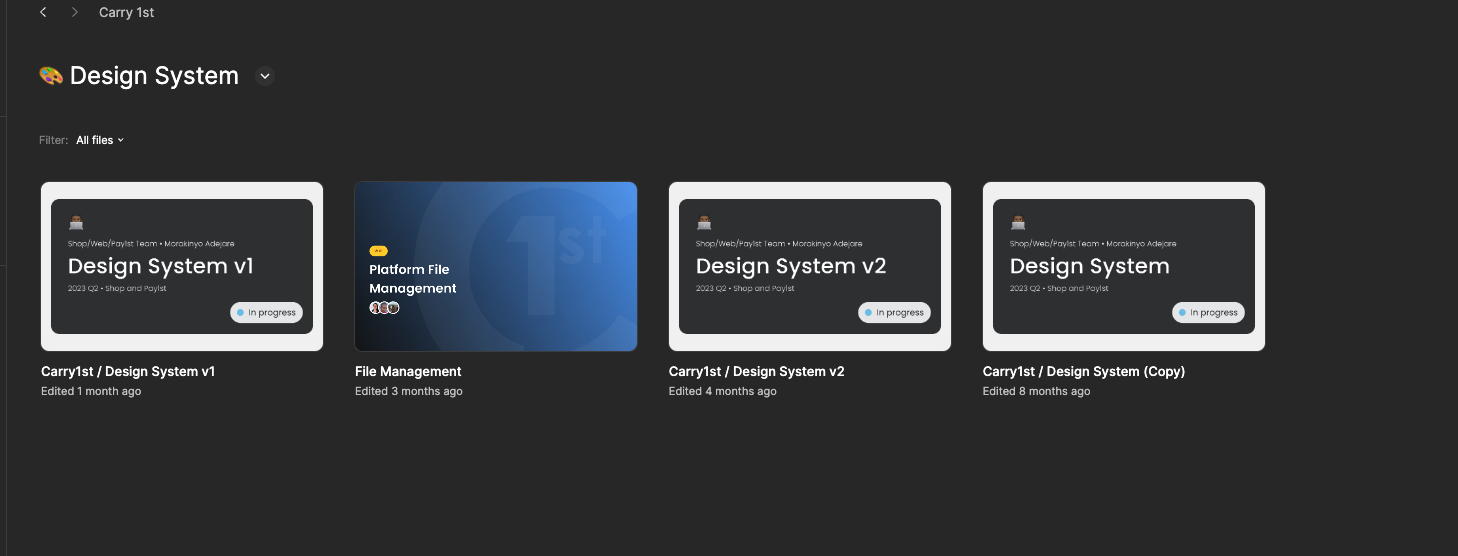
The design system for Carry1st products was all over the place. (There were three of them, to start with, and nobody could say which one of them was the correct one.) Some components were created on the spot, and most of them showed inconsistencies throughout the platforms and even across pages. I took the responsibility to give a structure to our design system, so we can make better design decisions more efficiently.
Carry1st design sytem
1 year
Design team
Product Design Lead

As the driving force behind this project, my goal was to establish a new design system that would ensure consistency.
I envisioned clear behavioural and style guidelines for every component to make the 1st-of-all futureproof.

Thanks to the tokenisation work, the engineering team had clear directions and a foundation for every component.
Building a design system is an investment that requires dedicated resources, plenty of time and a clear vision. Since we didn't have the first two, I had to go with the "whenever we have time" approach. But the vision was clear. Finding our voice as the leading game publisher in Africa and making sure it was visually striking.
That's how 1st-of-all is born. A reference to the company's name and also a way to tell that every design decision begins with a good systematic foundation, that is, a design system.
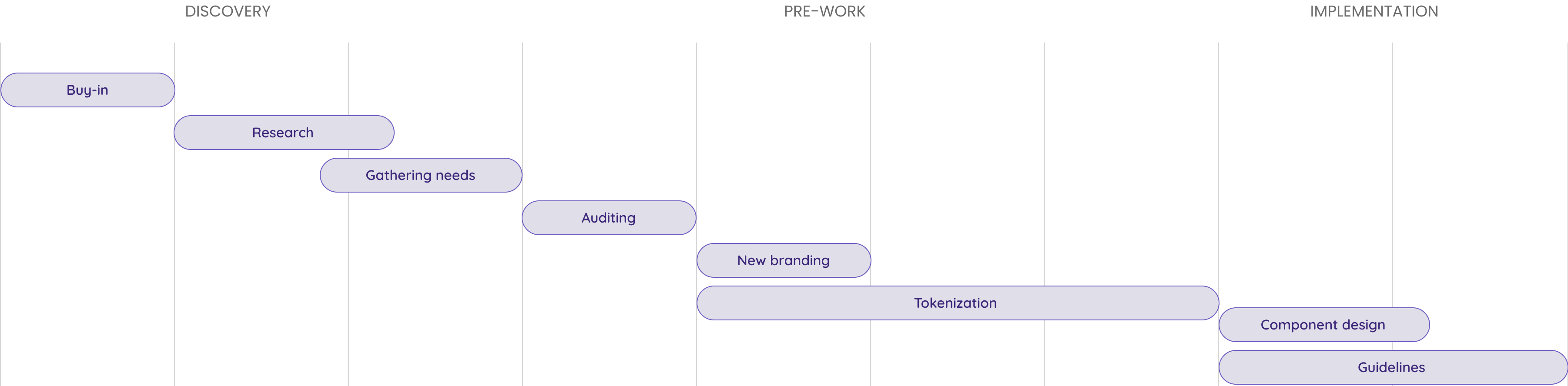
As the driving force behind this project, my first step was to gain support from management, allowing us to dedicate time to our design system. After buy-in was ensured, I began auditing what we had and researching areas for improvement. The creation of the components followed the tokenisation and the naming conventions. Then, finally, we shared responsibility among the team while writing the guidelines for the components.

If you approach design system work as an isolated "designer project", you'd be creating a "conversation debt" with related parties. A design system is an ongoing conversation around what we say as a product and how we say it, so make sure to include product managers, developers, marketers, and executives to ensure broad representation and commitment.
Designers working with local components, creating inconsistencies
Bugs in RTL language transitions due to the lack of related design decisions
Limited time and resources due to a lack of a dedicated designer
Doesn't have documentation, naming conventions, tokens, or guidelines.
Lengthy audit process needed to find all the inconsistencies in the live design
The first design system project that I had to undergo from scratch
There are generally three approaches to using a design system: adopting an existing design system, adapting an existing design system and creating your own proprietary or custom design system.
There are pros and cons to each method, but generally speaking, the more custom your design-system solution is, the more time and money it will take to implement.
Thus, using an existing design system is the lowest-cost approach and requires the least time to implement. (It will, still, need more time than if you continue design as usual, however, because you will have to either replace or update some UI elements and agree upon a standard).
Investment in a custom design system will be worth it if the organization has particular needs that cannot be met by open-source design systems. As customizations and adjustments to the design system increase, the cost savings you may have gained from using the existing design system will diminish, and, in the long run, you may be better off creating your own design system anyway. Be sure you know what your organization needs before you embark on design system endeavors and evaluate the tradeoffs.
Building a design system is a strategic investment that requires dedicated resources and a clear vision. But what happens when you don’t have the resources, and the non-designers in the team are still on the fence about the necessity of putting so much time and energy into buildinga design system?
We had the buy-in from the primary decision makers but with one condition, if we wanted to do this, we had to make sure the rest of the work was uninterrupted. So we had to implement the “whenever we can” approach.
I had to come up with a plan to keep the design system work constantly on our agenda , without burdening the team with an unreasonable amount of work.
So here is my 3-step action plan to include design system work into our daily workload that promises impact and change in a paced manner.
We didn't have any time to lose. So focusing on the right things first was very important for us. To make sure we're tackling the correct problems, I facilitated several workshops both within and outside the design team. We answered questions about, tokenisation architecture, naming conventions, deprecated styles and components, our identity and principles and how we will implement the changes.
I arranged work-together meetings for the design team to come together and work on design system-related tasks every two weeks. Before every meeting, we made sure we announced what we wanted to work on and if we needed some clarification on anything. These meetings helped us to avoid ambiguity when it comes to finding time to work on something that wasn't on our rushed agenda.
By this time, we had a living backlog full of design tasks, created by product owners. I created a series of design system tasks that we can pick up whenever we have availability in our sprint. This way, we never ran out of things to work on. These tasks included, research on upcoming components, writing guidelines and adding new states for existing components.
Using variables improves design system health in many ways. When all elements of the design system share the same values, the overall appearance is uniform, providing a better user experience. Variables also make it easier for designers to collaborate and maintain brand consistency. The two cornerstones of token work are scalability and consistency.
As a design system grows, keeping design values organised and consistent can be challenging, especially if multiple designers are involved. Variables solves this problem — you can keep all values in a single place with collections, making it easy to update and expand the design system.
By defining global variables for design elements like colors, typography, and spacing, designers can ensure that the same styles are applied consistently throughout their designs. This streamlines the design process and guarantees a cohesive appearance for all project assets.
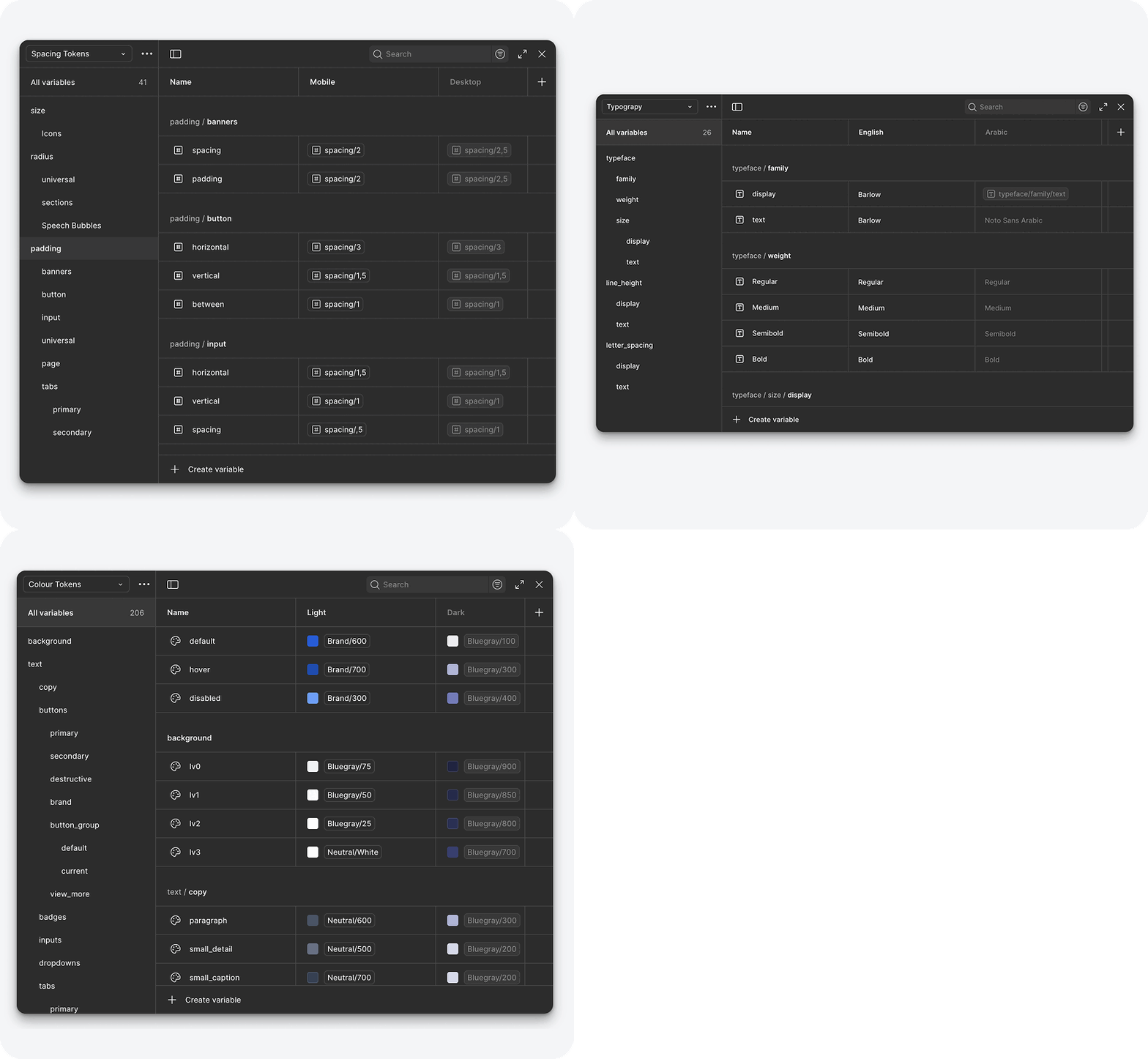
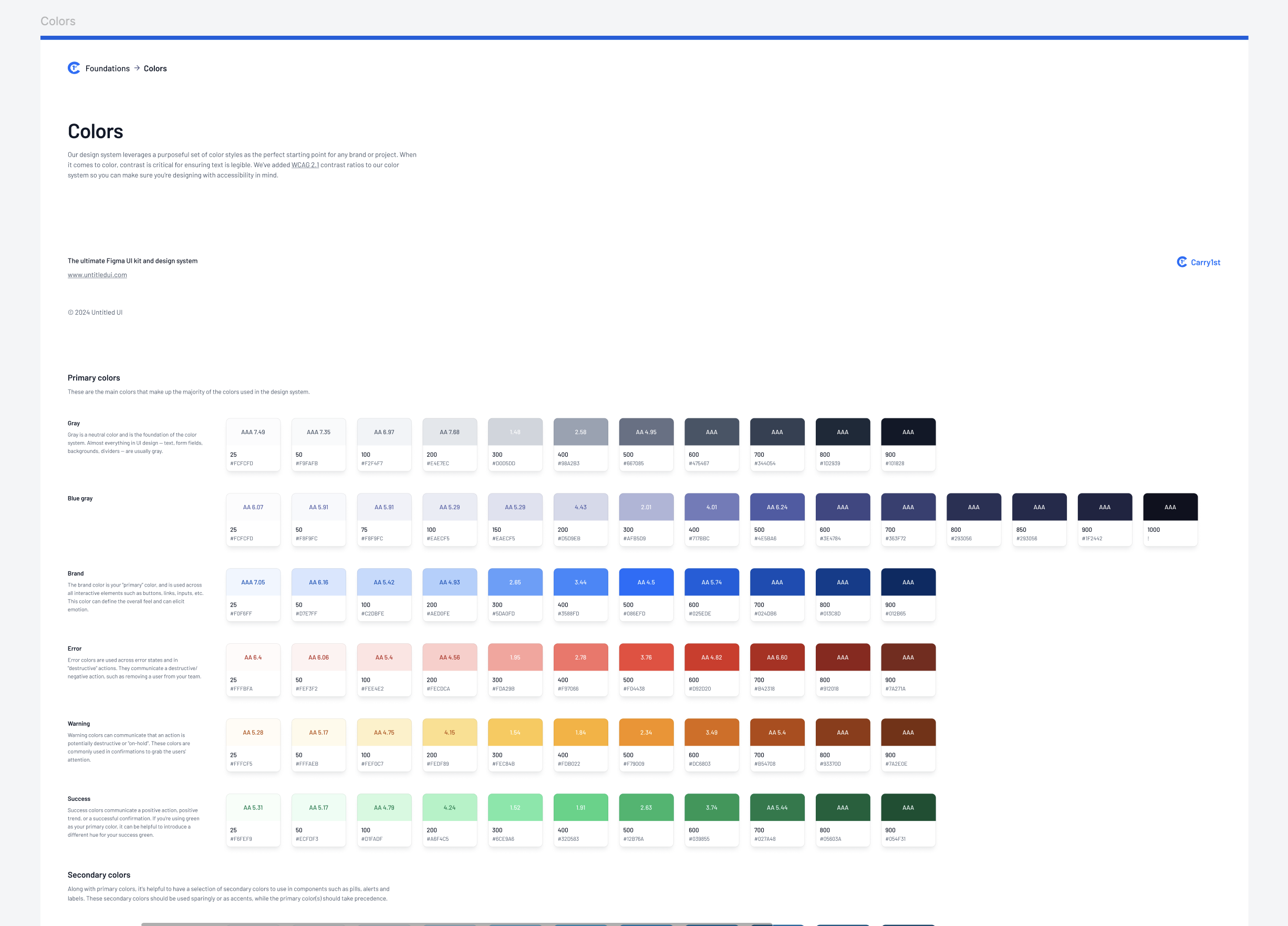
After some research, I decided that a two-level tokenisation would be the most reasonable choice for a design system of our size. So I created the primitive level for colours and numeric values, and semantic level for component values.
These are the fundamental blocks that define raw values for visual properties, such as colors, typography, and spacing. These tokens are typically neutral and not tied to any specific context or meaning.
For example, a core token might define a color value like --color-blue-500: #3498db; or a spacing value like --spacing-small: 8px.
These apply meaning or context to the core tokens, defining how they are used in specific UI elements or scenarios.
For instance, a semantic token might define a primary button’s background color as --button-primary-background: var(--color-blue-500); or a heading's text color as --heading-color: var(--color-gray-900).
Before the component work, define your visual foundations like colours, fonts and icons. And then focus on core elements like buttons, inputs, and anything else that is used repetitively in the live product. Scale with time, especially if you don't have a dedicated designer.
Adding a second language to your design system might sound like an easy job but it's a whole new story if the second language is a RTL (right to left) language like Arabic.
It’s important to understand that it’s not just about translating text into Arabic, rather it involves ensuring that all elements of the user interface & layout are designed with RTL users in mind. For example, text & images should appear in the correct order & navigation shouldn’t be confusing or counterintuitive.
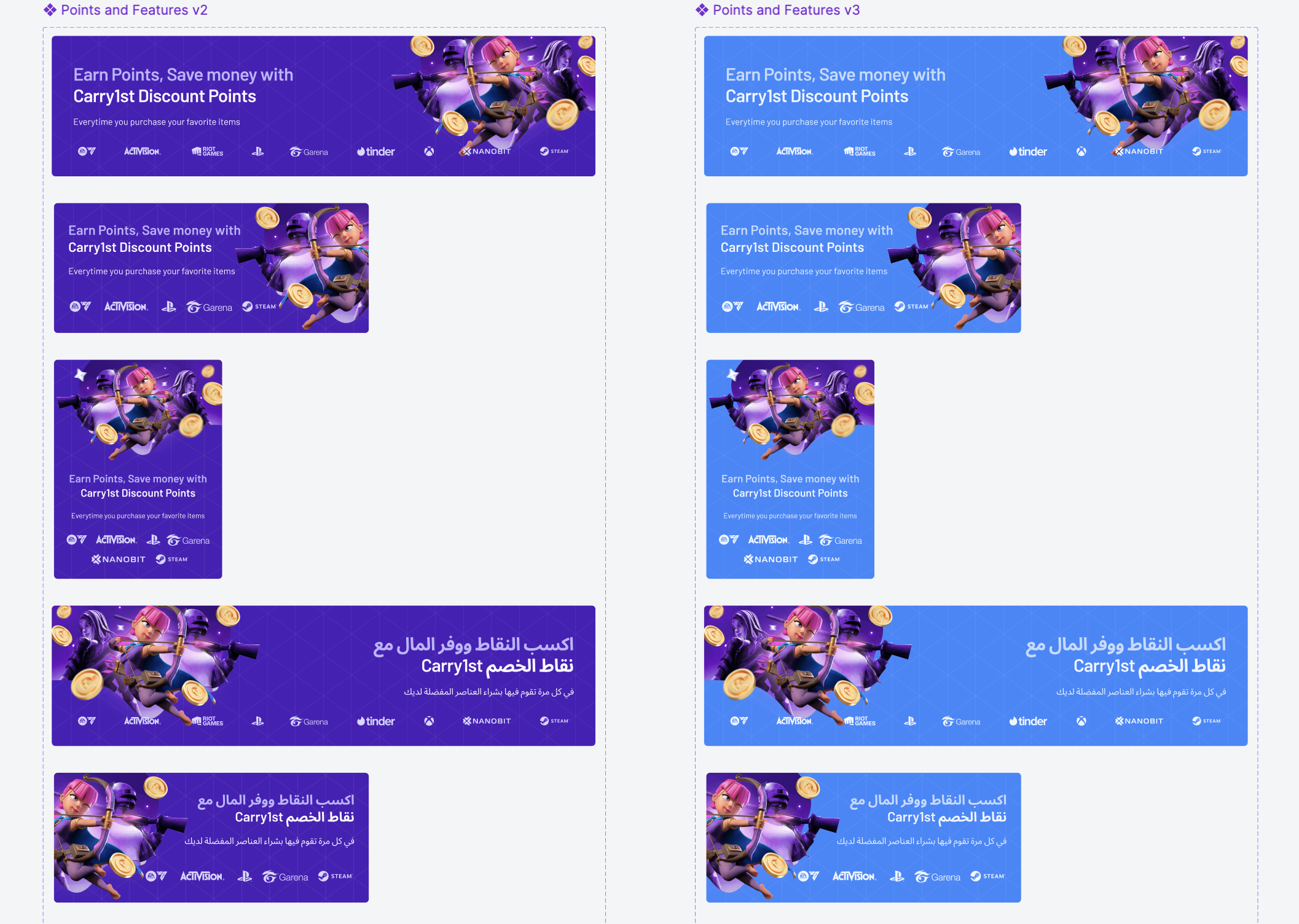
To properly reflect and modify RTL content, consider the flow of time in Arabic, which moves from right to left. This also affects the orientation of icons and images that depict a sequence of events.
Elements that have an inherent specific sequence should start from the right side on an RTL website, like process indicators, bullets, or review stars.
If there are 2 different paragraphs, one in LTR and another in RTL, each should be aligned according to the natural flow of that language. Any LTR words, such as a URL, should be shown in LTR format, even if the rest of the UI is in RTL.
RTL languages don’t use italics & capitals, which requires careful retouch for all the elements with typography. Additionally, the readability of the font for Arabic letters must be reviewed.
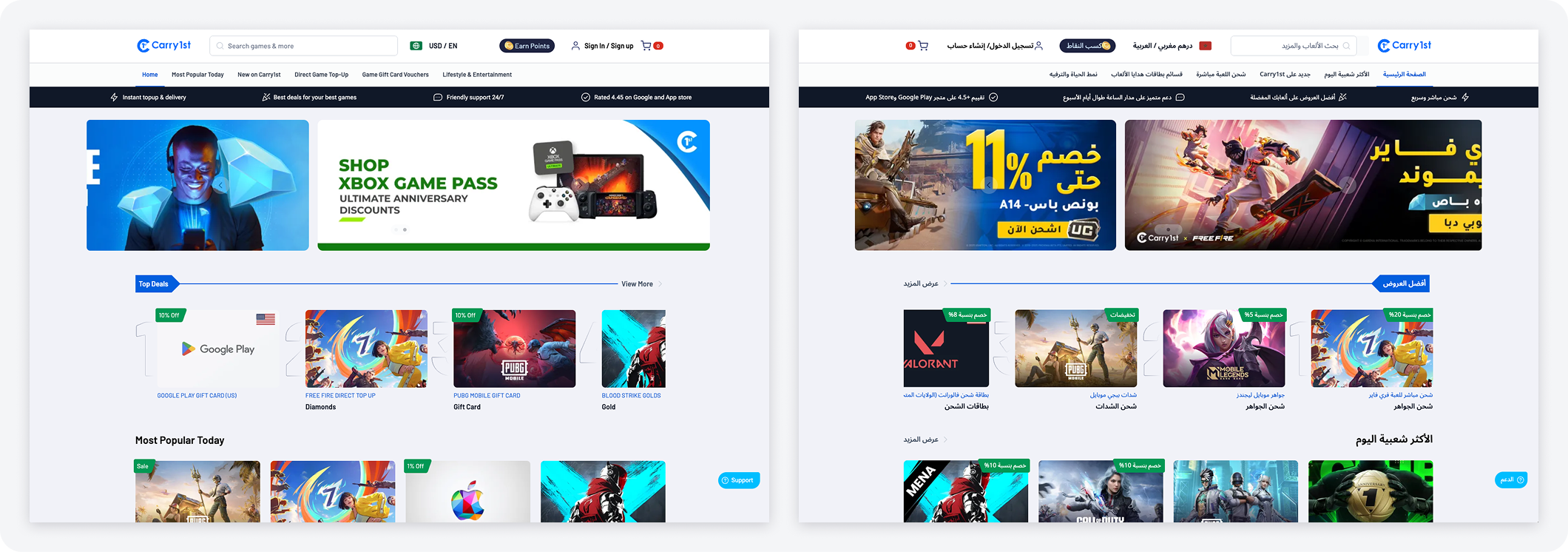
We decided to use a different font for our Arabic layout to maximise readability and ensure we're delivering the best experience with a font specially designed for the Arabic language. Noto Sans Arabic is an unmodulated (“sans serif”) design for texts in the Middle Eastern Arabic script.
We created a second mode on our variable collections for Arabic language to accelerate our process while changing components from one language to the other.
When text, layout, and iconography are mirrored to support right-to-left (RTL) UIs, anything that relates to time should be depicted as moving from right to left. For example, in a RTL layout, forward points to the left, and backwards points to the right.
The most challenging part of the design system work for us, was writing the guidelines. While writing guidelines and documentation, you have to make numerous design decisions. And T=these decisions should also be scalable and future-proof. So communication with the team is utmost important, when you're cementing the whole behavioural aspect of a component.
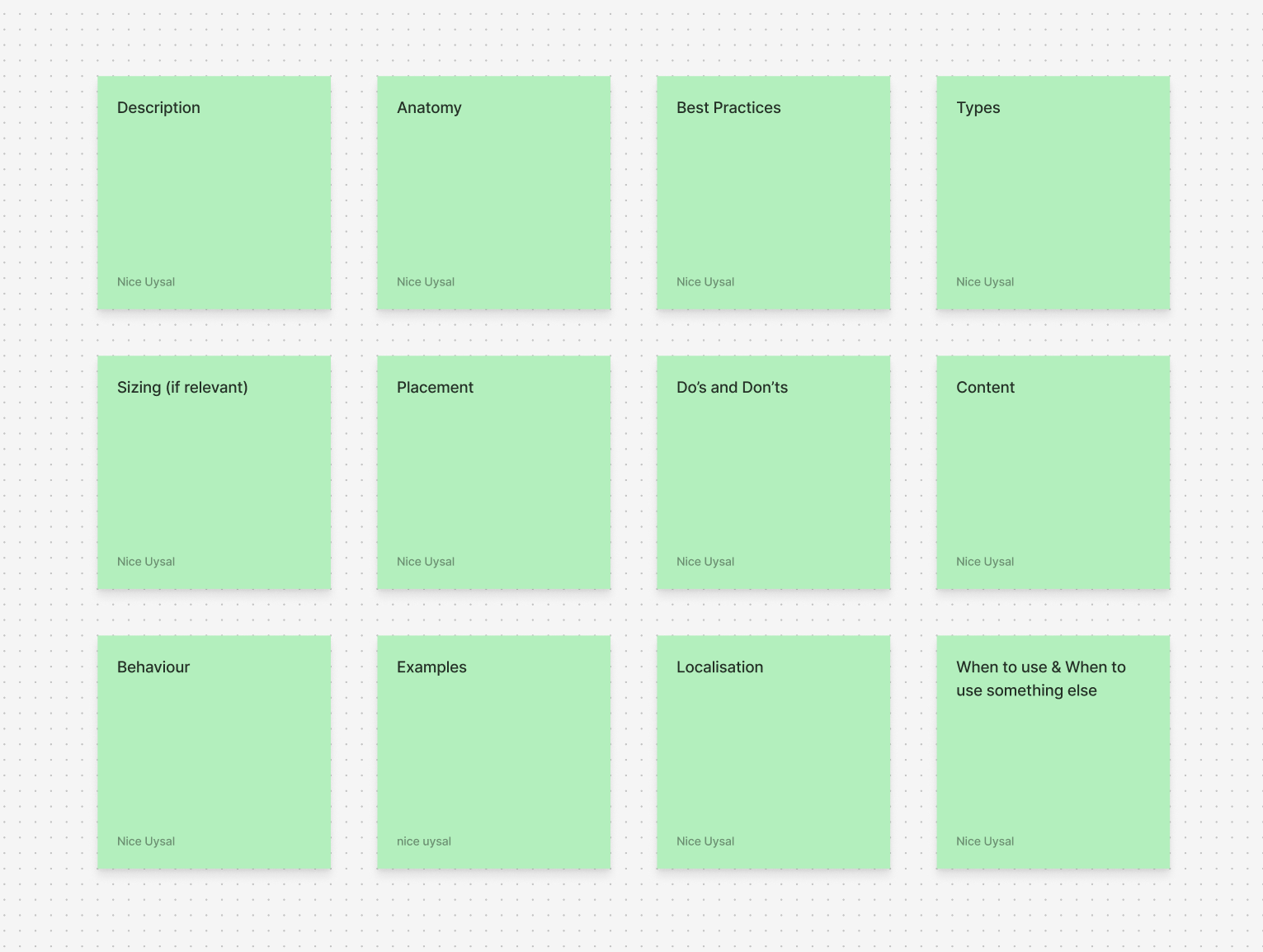
I started by working on the main categories I want to involve in every component guideline, where applicable. These categories were useful to create an outline about the questions we wanted to answer about each component.
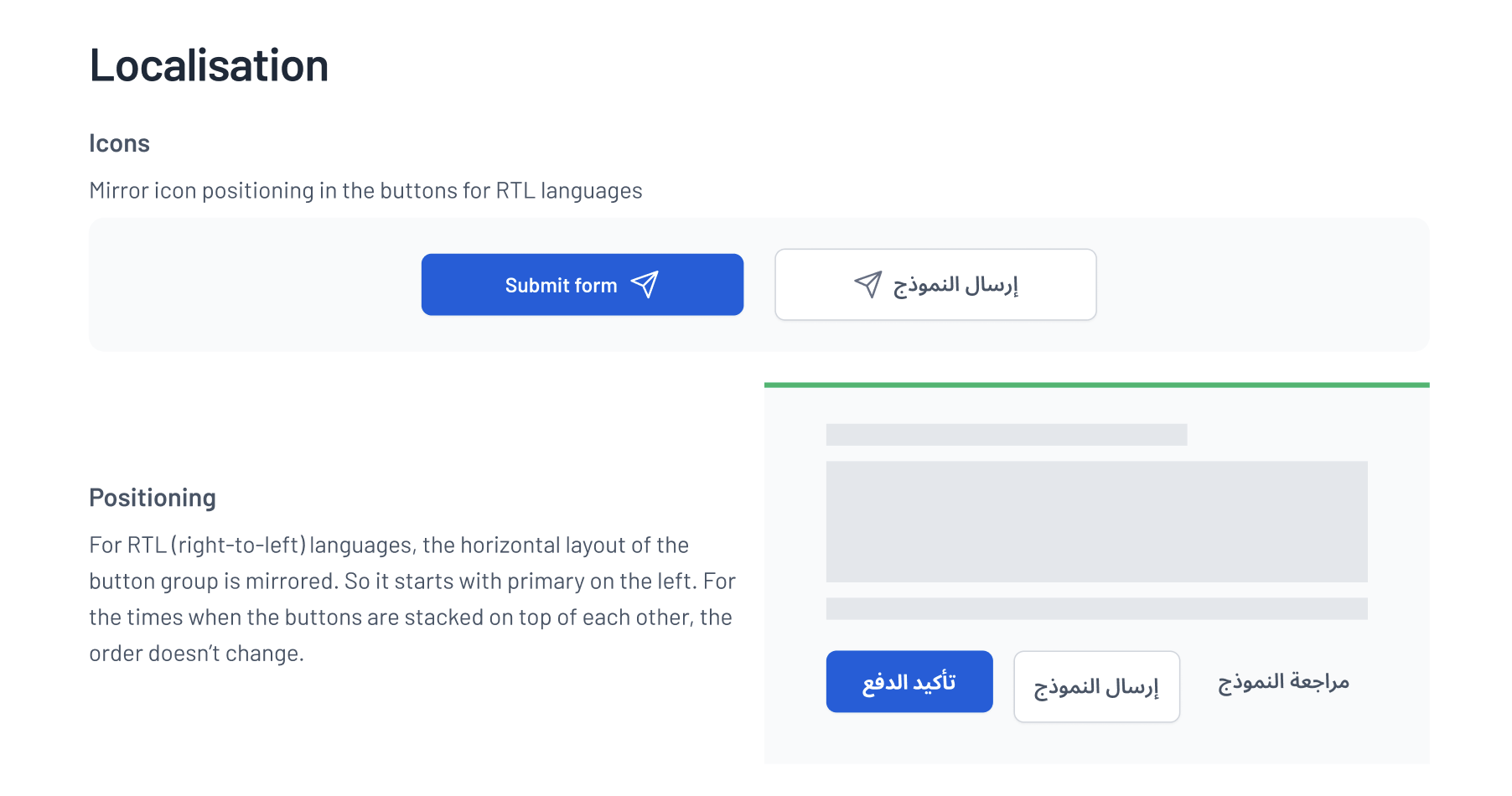
We also introduced localisation guidelines for the components that the RTL alternative would impact. These guidelines included how the component would behave differently but also points about language and translation were included.
Integrating the design system work into our daily tasks and managing these various responsibilities required a significant amount of planning. But what came out made us all proud. In less than a year, 1st-of-all is a design system that was living, highly adopted and expanding.
What is the scope of your design system? Will it include images? What about videos? Will it play a role in your landing pages and email marketing campaign?Your system needs to grow and scale with your business. Make sure you know what the scope of your design system will be before you set out in creating it, as this will simplify the process.
Design system adoption is the process by which a team or organisation successfully integrates a design system into its daily workflows and culture, resulting in consistent, efficient, and scalable product development. This involves not just implementing the system technically, but also ensuring designers and developers understand, accept, and actively use its components, guidelines, and principles to improve collaboration, product quality, and business outcomes.
For small teams like ours, adoption can be achieved through close collaboration and effective communication.
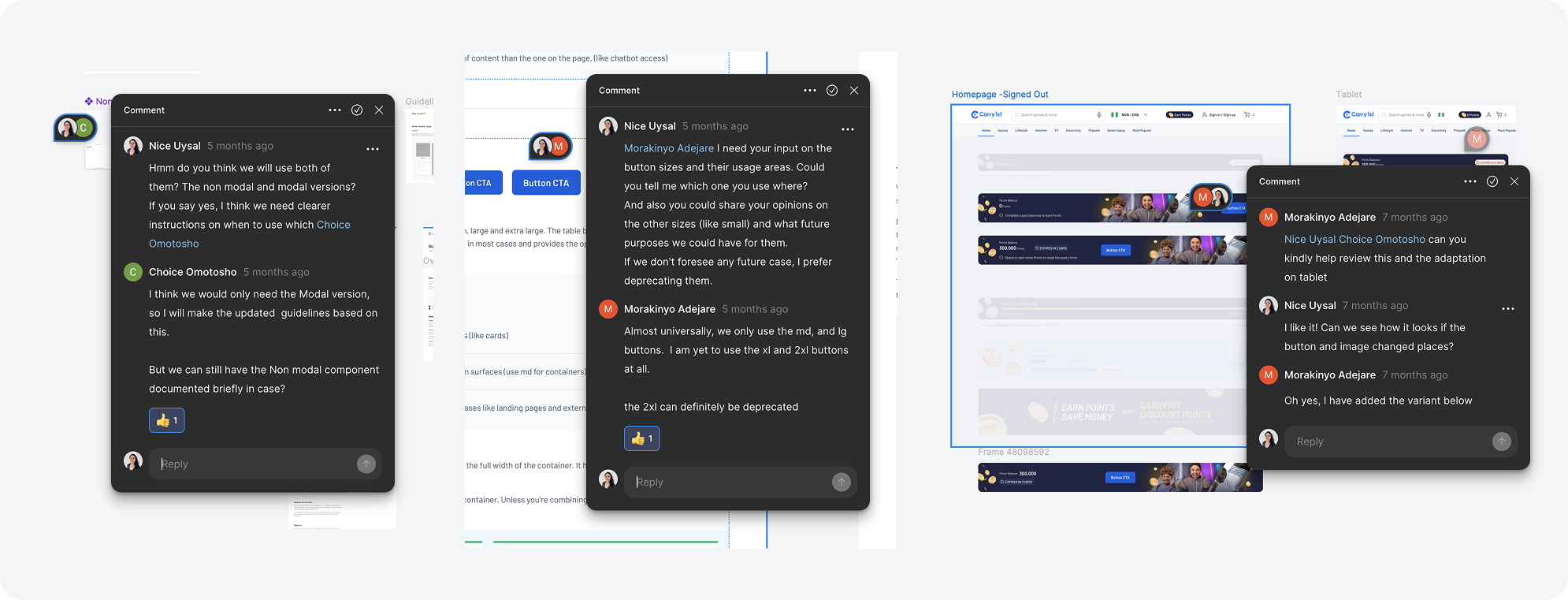
You can easily ensure that inconsistencies are addressed by using Figma comments or a quick meeting to align everyone. For larger teams, adoption metrics, such as the frequency of component usage within a given time frame, are used to ensure that effort is spent on the right things.
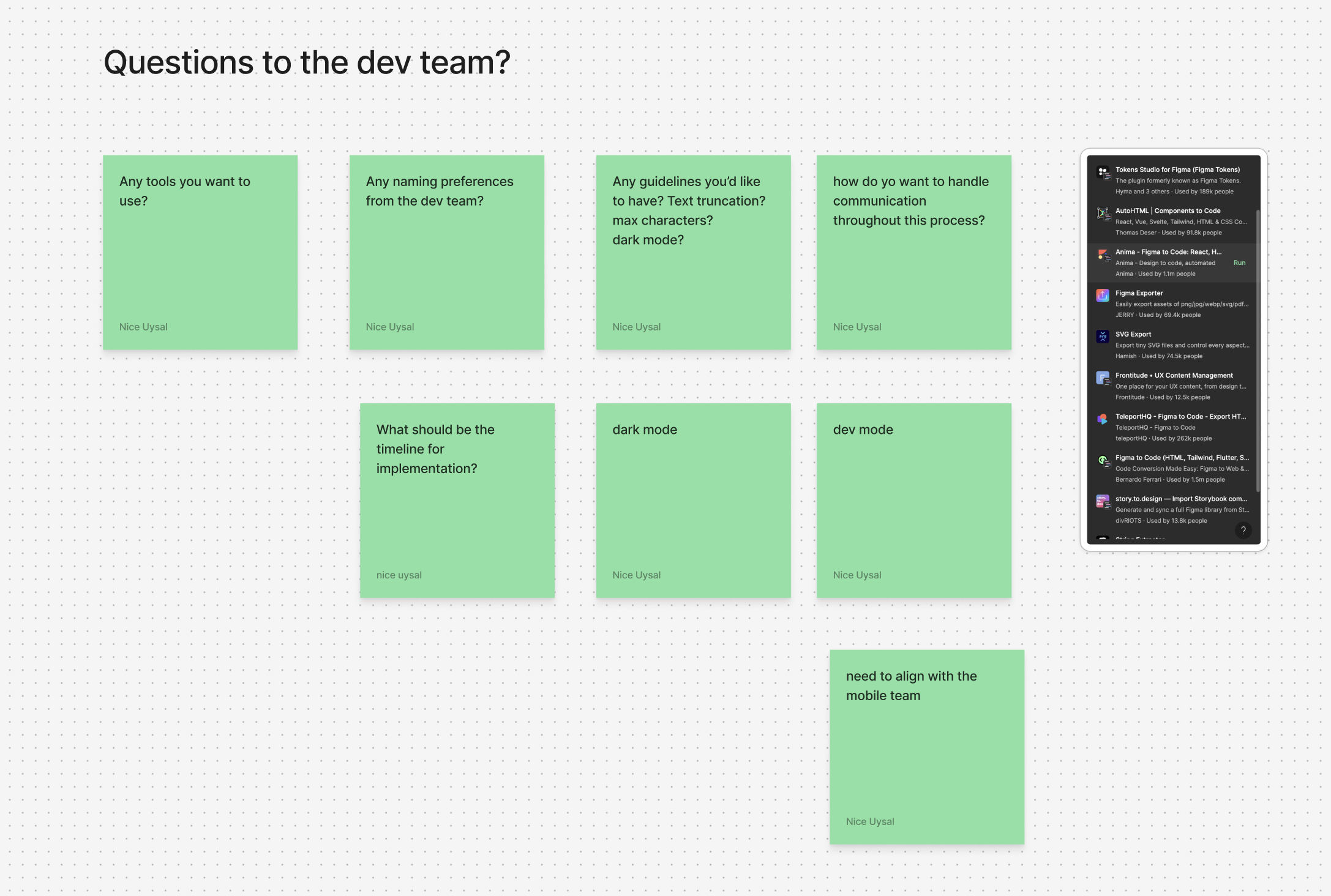
You need to kee thep the communication channels open to enlist needs on new components or changes on existing ones, to make sure the design system you're designing is relevant to the designers.
By adding proper documentation on how to use the components, you'll ensure that making the right decision is easy and streamlined when selecting a component, making the design system more usable.
Design systems are made of many components, patterns, styles, and guidelines, which can help operationalize and optimize your design efforts. However, they are designed, managed, and implemented by people.
The main factors to consider when creating a design system are the scale and replicability of your projects, as well as the resources and time available. When poorly implemented and maintained, design systems can become unwieldly collections of components and code; but, when implemented well, they can educate team members, streamline work, and enable designers to tackle complex UX problems.
- Involving a design system-related task in every sprint
- Creating guidelines for every component
- Direct designer feedback
Next Project


